Complete Secure Communication Explained: Keys, PKI, Digital Signatures, and KDC
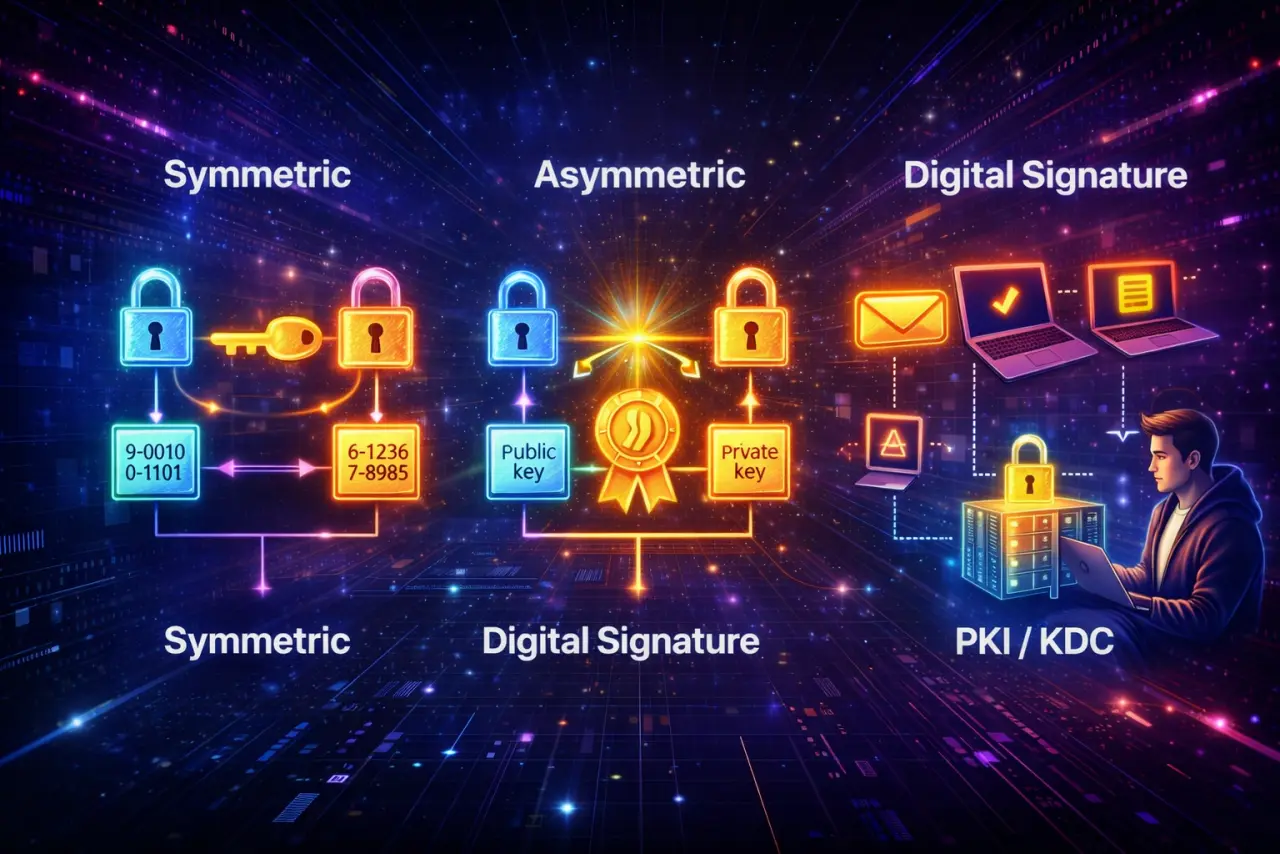
Table Of Content
- 1. Symmetric Encryption: Fast but Incomplete
- 2. Using Asymmetric Encryption for Key Exchange
- 3. New Question: Can We Trust the Public Key?
- 4. Public Key Infrastructure (PKI): Trusting Public Keys
- 5. Another Question: Who Is Sending the Message?
- 6. Digital Signatures (with PKI): Authentication for Open Networks
- 7. KDC: Alternative Authentication for Closed Networks
- 8. Choosing the Right Solution Based on Network Type
- 9. Putting Everything Together (In Short)
- Final Takeaway
- One-Line Summary
Complete Secure Communication Explained: Keys, PKI, Digital Signatures, and KDC
Secure communication over networks is not solved by encryption alone.
To be truly secure, a system must answer three fundamental questions:
- How do we encrypt data efficiently?
- How do we share the encryption key securely?
- How do we verify who is actually communicating?
This blog walks through these questions step by step and explains how symmetric encryption, asymmetric encryption, digital signatures, PKI, and KDC work together to solve them.
1. Symmetric Encryption: Fast but Incomplete
What Is Symmetric Encryption?
Symmetric encryption uses a single shared secret key between sender (A) and receiver (B).
How It Works:
- Same key used for both encryption and decryption
- Fast and efficient
- Suitable for large amounts of data
Examples:
- AES (Advanced Encryption Standard) — Current standard
- DES (Data Encryption Standard) — Legacy, deprecated
Formula:
Where:
- = Ciphertext
- = Plaintext
- = Secret key
- = Encryption with key
- = Decryption with key
Advantage
- ✅ Extremely fast — Optimized for performance
- ✅ Ideal for encrypting large amounts of data — Efficient bulk encryption
- ✅ Low computational overhead — Suitable for real-time applications
Problem
How do A and B securely share the secret key?
The Key Distribution Problem:
- Key must be shared before communication
- If the key is intercepted during transmission, security is lost
- Cannot use encryption to share the key (chicken-and-egg problem)
- Manual key distribution doesn't scale
Why This Matters:
- Without secure key distribution, symmetric encryption is vulnerable
- Attacker intercepting the key can decrypt all messages
- This is the fundamental problem that asymmetric cryptography solves
2. Using Asymmetric Encryption for Key Exchange
Asymmetric cryptography introduces two keys:
- Public key (shared) — Can be distributed openly
- Private key (secret) — Kept confidential
This solves the key distribution problem.
How It Works:
- Public key encrypts, private key decrypts
- Anyone can encrypt with public key
- Only private key holder can decrypt
- Public key can be shared without security risk
Key Insight:
- Public key is like a lock (anyone can use it)
- Private key is like the key (only owner has it)
- Solves the key distribution problem
Key Exchange Algorithm:
The most commonly used asymmetric key exchange algorithm is Diffie–Hellman, which allows two parties to establish a shared secret over a public channel. Learn more about Diffie–Hellman Key Exchange.
Hybrid Encryption (Used in Practice)
The Best of Both Worlds:
Real-world systems combine symmetric and asymmetric encryption:
- Asymmetric for key exchange (secure but slow)
- Symmetric for data encryption (fast and efficient)
This is called hybrid encryption.
Step 1: Public Key Sharing
- A sends its public key to B
- Public key can be sent over insecure channel
- No security risk (public key is meant to be public)
Step 2: Session Key Generation
- B generates a random symmetric session key ()
- B encrypts the session key using A's public key:
- B sends it to A
Why This Works:
- Only A can decrypt (has private key)
- Session key is protected during transmission
- Attacker cannot recover session key
Step 3: Key Recovery
- A decrypts the message using its private key:
- Now both A and B share the same symmetric key ()
Result:
✔️ Secure key exchange — Asymmetric encryption protects the key
✔️ Fast data encryption using AES — Symmetric encryption for performance
3. New Question: Can We Trust the Public Key?
A critical security question arises:
How can B be sure that the public key really belongs to A and not an attacker C?
Man-in-the-Middle (MITM) Attack
The Attack Scenario:
If attacker C replaces A's public key with their own:
- C intercepts A's public key transmission
- C replaces it with C's own public key
- B receives C's public key (thinks it's A's)
- B encrypts session key with C's public key
- C decrypts, reads, and modifies all communication
- C re-encrypts with A's real public key and forwards to A
Result:
- C can read all messages between A and B
- C can modify messages without detection
- A and B think they're communicating directly
So key exchange alone is not enough.
The Trust Problem:
- Public keys can be intercepted and replaced
- No way to verify key ownership
- Need a mechanism to establish trust
4. Public Key Infrastructure (PKI): Trusting Public Keys
What Is PKI?
PKI (Public Key Infrastructure) ensures that a public key actually belongs to its claimed owner.
Key Components:
- Digital certificates — Bind identity to public key
- Certificate Authorities (CAs) — Trusted entities that sign certificates
- Verification mechanisms — Methods to verify certificate authenticity
Certificate Authority (CA)
A Certificate Authority:
- Verifies the identity of users — Confirms ownership
- Digitally signs their public keys — Creates certificates
- Issues X.509 digital certificates — Standard format
A certificate states:
"This public key belongs to A."
Certificate Contents:
- Subject (identity: e.g.,
example.com) - Public key
- Issuer (CA that signed it)
- Validity period
- Digital signature (CA's signature)
How PKI Prevents MITM
Step-by-Step Process:
1. A obtains a certificate from a trusted CA
- A generates key pair
- A proves identity to CA
- CA verifies identity
- CA signs A's public key → certificate
2. B verifies the certificate using the CA's public key
- B receives A's certificate
- B verifies CA's signature
- If valid, B trusts A's public key
3. Only then does B trust A's public key
- Certificate proves key ownership
- CA's signature cannot be forged
- MITM attack prevented
Result:
✔️ Fake public keys are rejected — Invalid certificates fail verification
✔️ Identity is verified — CA confirms ownership
✔️ Foundation of HTTPS and TLS — How web security works
Real-World Example: HTTPS
- Website requests certificate from CA (e.g., Let's Encrypt)
- CA verifies website owns domain
- CA issues certificate
- Browser connects to website
- Website presents certificate
- Browser verifies certificate using CA's public key
- If valid, browser trusts website's public key
- Secure connection established
For more details, see: PKI (Public Key Infrastructure): Trust at Internet Scale.
5. Another Question: Who Is Sending the Message?
Even after secure key exchange, another concern exists:
How can B be sure that messages are actually coming from A and not someone else using the same key?
This is the authentication problem.
The Problem:
- Session key might be compromised
- Attacker might have obtained the key
- Need to verify sender identity
- Need to ensure message integrity
Why This Matters:
- Encryption provides confidentiality (hides content)
- Encryption does not provide authentication (proves identity)
- Need additional mechanism to verify sender
6. Digital Signatures (with PKI): Authentication for Open Networks
Digital Signatures + PKI and KDC are alternative approaches to authentication:
- Digital Signatures + PKI → for open networks (Internet, public systems)
- KDC → for closed networks (enterprise, internal systems)
They solve the same problem (authentication) but use different approaches for different network types.
What Does a Digital Signature Provide?
Digital signatures provide three critical security properties:
- Authentication — who sent the message
- Integrity — message not altered
- Non-repudiation — sender cannot deny sending it
Key Difference:
- Encryption hides the message content
- Digital signature proves who created the message
How Digital Signatures Work (Simplified)
At sender A:
Step 1: Compute hash of message
Where:
- = Message
- = Hash function (e.g., SHA-256)
- = Hash value
Step 2: Encrypt hash using A's private key → signature
Step 3: Send message + signature
A → B: (M, S)
At receiver B:
Step 1: Hash received message
Step 2: Decrypt signature using A's public key
Step 3: Compare hashes
- If → message is authentic and unchanged
- If → message is tampered or sender is fake
Why This Works:
- Hash ensures integrity — Any change in message changes hash
- Private key ensures authentication — Only A has private key
- Public key verifies — Anyone can verify using A's public key
- Non-repudiation — A cannot deny signing (only they have private key)
✔️ If they match → message is authentic and unchanged
Digital signatures are essential in open networks like the Internet.
For more details, see: Digital Signatures: Proving Identity and Integrity.
7. KDC: Alternative Authentication for Closed Networks
KDC is an alternative to Digital Signatures + PKI for authentication in closed or controlled environments (e.g., corporate networks).
Why Choose KDC Instead?
- ✅ Faster — Symmetric cryptography is more efficient
- ✅ Centralized — Easier to manage in closed networks
- ✅ Simpler — No need for certificate infrastructure
- ❌ Not suitable for open networks or internet-scale systems
What Is a KDC?
A Key Distribution Center (KDC) is a trusted central server that:
- Shares a unique master key with each user — Each user has one master key with KDC
- Generates temporary session keys — Creates keys for each session
- Authenticates users using symmetric cryptography — Fast and efficient
Used in systems like Kerberos.
Key Characteristics:
- Centralized — Single trusted server
- Symmetric — Uses shared secret keys
- Session-based — Generates temporary keys
- Enterprise-focused — Common in internal networks
How KDC Solves Identity and Key Sharing
Setup Phase:
- Each user shares a master key with KDC
- Users do not share keys with each other
- KDC knows all master keys
Session Key Distribution:
- User A requests session key to talk to User B
- KDC generates session key ()
- KDC encrypts session key separately:
- For A:
- For B:
- KDC sends both to A
- A forwards B's copy to B
- Both decrypt using their master keys
- Mutual authentication confirms key ownership
Result:
- Users trust the KDC — Centralized trust model
- KDC vouches for identities — KDC confirms who is who
- Session keys prove authentication — Only authorized users get keys
Advantages:
- ✅ Fast (symmetric cryptography)
- ✅ Centralized management
- ✅ Efficient for closed networks
Disadvantages:
- ⚠️ Single point of failure
- ⚠️ Must always be online
- ⚠️ If compromised, entire system at risk
For more details, see: KDC (Key Distribution Center): Centralized Symmetric Trust.
8. Choosing the Right Solution Based on Network Type
| Network Type | Solution |
|---|---|
| Open / Internet | Digital Signatures |
| Closed / Intranet | KDC |
9. Putting Everything Together (In Short)
| Step | Problem | Solution |
|---|---|---|
| 1 | How to encrypt data efficiently? | Symmetric encryption (AES) |
| 2 | How to share the symmetric key? | Asymmetric encryption |
| 3 | How to trust the public key? | Certificate Authority (PKI) |
| 4 | How to trust sender identity? | Digital Signature (open) or KDC (closed) |
Complete Secure Communication Flow:
For Open Networks (Internet):
- Digital Signatures: Verify sender identity and integrity
- KDC: Centralized authentication and key distribution
Real-World Example: TLS/HTTPS
- PKI — Server presents certificate (proves identity)
- Digital Signature — Certificate is signed by CA
- Asymmetric — Diffie-Hellman establishes session key
- Symmetric — Session key encrypts data (AES)
- Digital Signatures — Verify message authenticity
Each component solves a different security problem.
Final Takeaway
Secure communication is not a single algorithm—it is a carefully layered system:
- ✅ Symmetric cryptography for performance
- ✅ Asymmetric cryptography for key exchange
- ✅ Digital signatures for identity and integrity
- ✅ PKI or KDC for trust
Each component solves a different security question, and removing any one of them breaks the system.
Key Points:
- Symmetric encryption is fast but requires secure key distribution
- Asymmetric encryption solves key distribution but is slow
- Hybrid encryption combines both for optimal performance
- PKI establishes trust in public keys on the internet
- Digital signatures prove sender identity and message integrity
- KDC provides efficient authentication for closed networks
Understanding these concepts helps you:
- Design secure communication systems
- Choose the right cryptographic primitives
- Understand how modern security protocols work
- Make informed decisions about authentication and encryption
One-Line Summary
Modern security works by combining symmetric encryption for speed, asymmetric encryption for key exchange, digital signatures for identity, and trusted infrastructures like PKI or KDC to prevent attacks.