Understanding the X.509 Certificate Hierarchy and Revocation
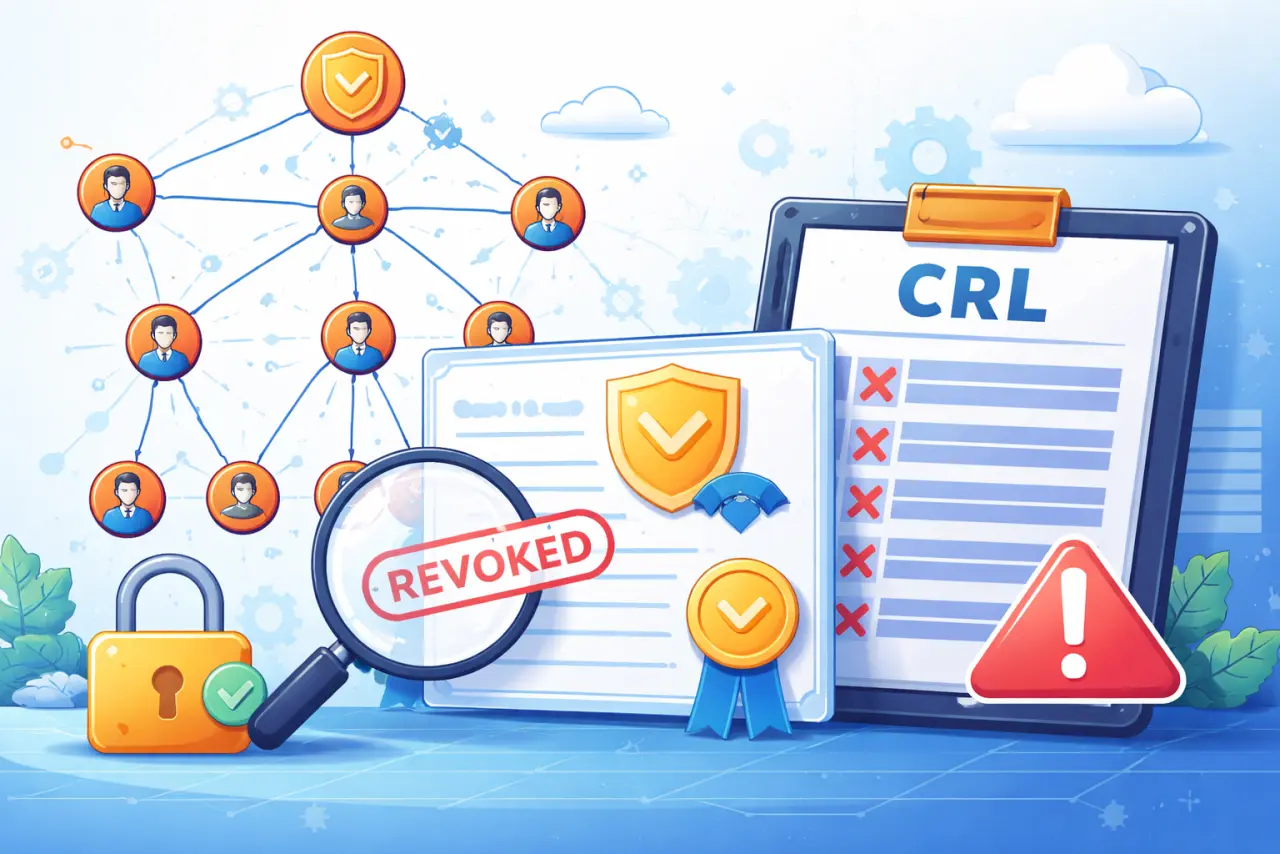
Understanding the X.509 Certificate Hierarchy and Revocation
Public Key Infrastructure (PKI) is the backbone of secure communication on the internet. At the heart of PKI lies the X.509 certificate standard, which defines how digital certificates are issued, validated, and revoked. This post explains the X.509 hierarchy, how certificate chains work, and why certificate revocation is critical.
X.509 Certificate Hierarchy
X.509 uses a hierarchical trust model based on Certificate Authorities (CAs).
Levels in the Hierarchy:
- Root CA — The topmost trusted authority
- Intermediate CAs — Certified by higher-level CAs to reduce risk
- End Entities — Users, servers, or applications that receive certificates
Trust Flow:
- Trust flows downward (certificates are issued)
- Verification flows upward (signatures are checked)
Hierarchical Structure:
Root CA (self-signed)
    ↓
Intermediate CA (signed by Root)
    ↓
End Entity Certificate (signed by Intermediate)
Key Properties:
- Root CA is self-signed — Trust anchor for the entire hierarchy
- Intermediate CAs reduce risk — If compromised, only affects their subtree
- End entities are leaves — Cannot issue certificates to others
- Scalable trust model — Works for internet-scale systems
Certificate Signing and Notation
In certificate chains, the notation:
X << Y >>
means Y's certificate is signed by X (X is the issuer, Y is the subject).
Examples:
X << A >>→ A's certificate is signed by CA XZ << B >>→ B's certificate is signed by CA Z
Reading the Notation:
X << Y >>reads as "X signs Y"- Left side (
X) = Issuer (signer) - Right side (
Y) = Subject (entity being certified)
Certificate Chain Example:
Root_CA << Intermediate_CA >>
Intermediate_CA << Server_Certificate >>
This means:
- Root CA signs Intermediate CA's certificate
- Intermediate CA signs Server Certificate
Complete Chain:
Root_CA << Intermediate_CA << Server_Certificate >>
Certificate Chain Validation
When one entity wants to trust another, it validates a certificate chain.
Example: A Communicating with B
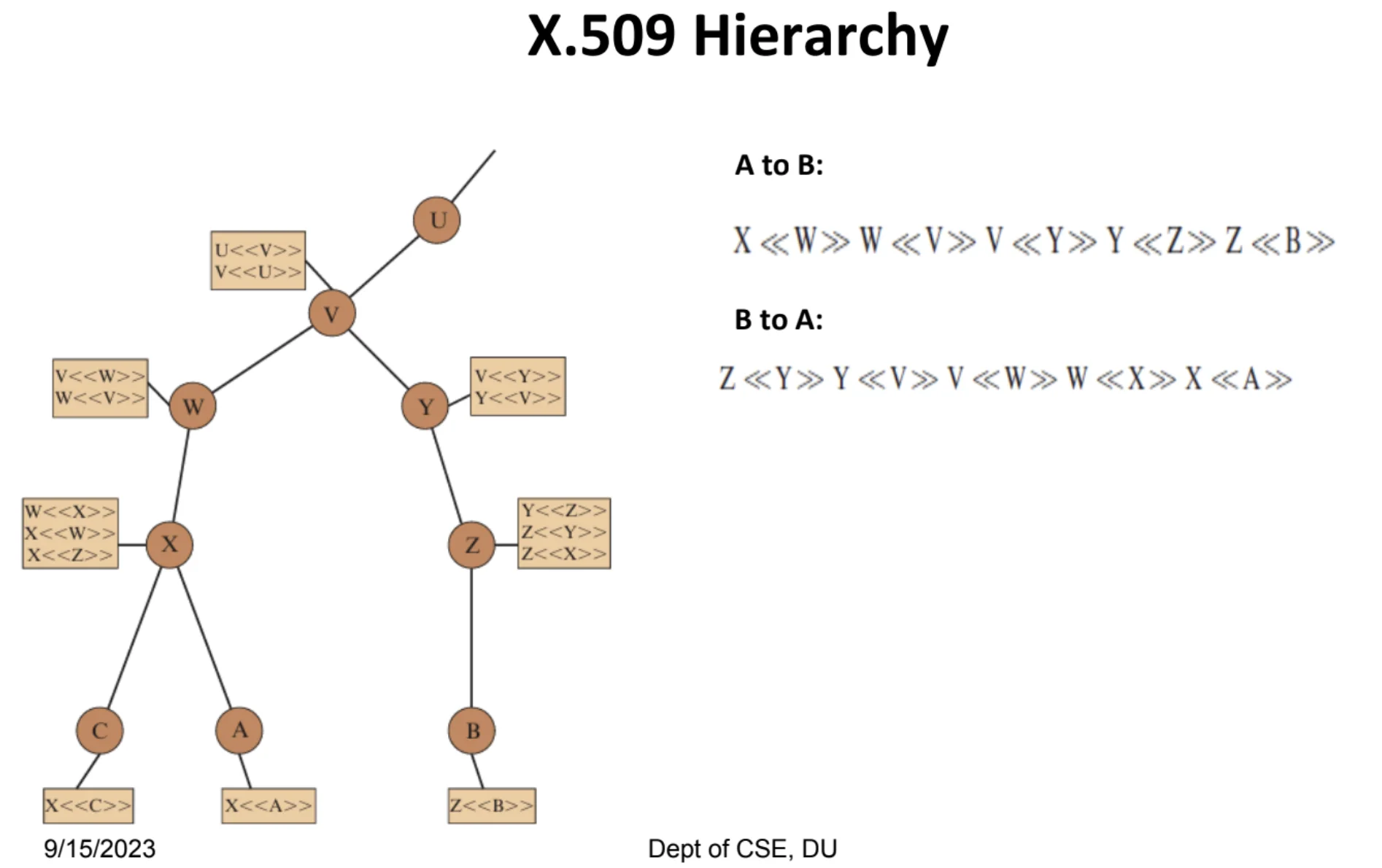
Explanation of the X.509 hierarchy in the diagram (concise):
What the diagram shows:
It is a Public Key Infrastructure (PKI) trust tree.
- Each circle (U, V, W, X, Y, Z, A, B, C) represents an entity (CA or end user).
- Upper nodes are Certificate Authorities (CAs), lower nodes are end entities.
- Trust flows downward, verification flows upward.
Meaning of the notation X << Y >>:
X << Y >> means:
Y's certificate is signed by X
(or X is the issuer, Y is the subject).
Example:
X << A >>→ A's certificate is signed by XV << W >>→ W's certificate is signed by V
Certificate chains (paths):
A → B (A wants to trust B):
A does not directly trust B, so it builds a certificate chain:
X << W >> W << V >> V << Y >> Y << Z >> Z << B >>
Meaning:
- B is signed by Z
- Z is signed by Y
- Y is signed by V
- V is signed by W
- W is signed by X
- X is trusted by A
So trust flows upward until a common trusted CA is reached.
B → A (reverse direction):
Similarly:
Z << Y >> Y << V >> V << W >> W << X >> X << A >>
Same idea, just reversed.
Key idea:
- End entities don't trust each other directly
- They trust CAs
- Verification works by following certificate signatures up the hierarchy
- If the chain ends at a trusted root, the certificate is accepted
Why This Works:
This mechanism allows scalable trust without every entity knowing every other entity.
Real-World Example: HTTPS
- Browser receives website's certificate
- Browser follows chain: Server → Intermediate CA → Root CA
- Browser checks if Root CA is in trusted store
- If valid, browser trusts website's certificate
Certificate Revocation
Certificates are not valid forever, and sometimes they must be invalidated before their expiry date.
Validity Period
Every certificate has:
- Start date — When certificate becomes valid
- End date — When certificate expires
Outside this period, the certificate is automatically invalid.
Example:
Certificate for: example.com
Valid from: 2026-01-01
Valid to: 2026-04-01
After April 1, 2026, the certificate is automatically invalid, even if not revoked.
Why Revoke a Certificate Early?
A certificate may need to be revoked if:
-
The user's private key is compromised
- Attacker gains access to private key
- Certificate can no longer be trusted
- Must revoke immediately to prevent impersonation
-
The user is no longer certified by the CA
- User leaves organization
- Domain ownership changes
- Certification relationship ends
-
The CA's own certificate is compromised
- CA's private key is compromised
- All certificates issued by that CA must be revoked
- Requires reissuing certificates under new CA key
In these cases, continuing to trust the certificate would be unsafe.
Certificate Revocation List (CRL)
To handle revocation, CAs maintain a list called the Certificate Revocation List (CRL).
What Is a CRL?
- The CRL contains serial numbers of revoked certificates
- It is digitally signed by the CA
- Updated and published periodically
CRL Contents:
- Serial numbers of revoked certificates
- Revocation date for each certificate
- Reason for revocation (optional)
- CRL version and update information
CRL Format:
Certificate Revocation List
Issued by: CA_Name
Valid until: 2026-01-15 12:00:00
Last updated: 2026-01-08 12:00:00

Revoked Certificates:
Serial Number: 0x1234ABCD, Revoked: 2026-01-05, Reason: Key compromise
Serial Number: 0x5678EFGH, Revoked: 2026-01-07, Reason: Cessation of operation
...
Certificate Checking
Before trusting a certificate, users (or applications):
-
Verify the certificate chain
- Check signatures up to root CA
- Confirm chain is valid
-
Check the CA's CRL to ensure the certificate has not been revoked
- Retrieve current CRL from CA
- Check if certificate serial number appears in CRL
- If found, certificate is revoked
Result:
If the certificate appears in the CRL, it must be rejected—even if it has not expired.
Why This Matters:
- Certificate may still be within validity period
- But has been explicitly revoked
- Must not be trusted regardless of expiry date